

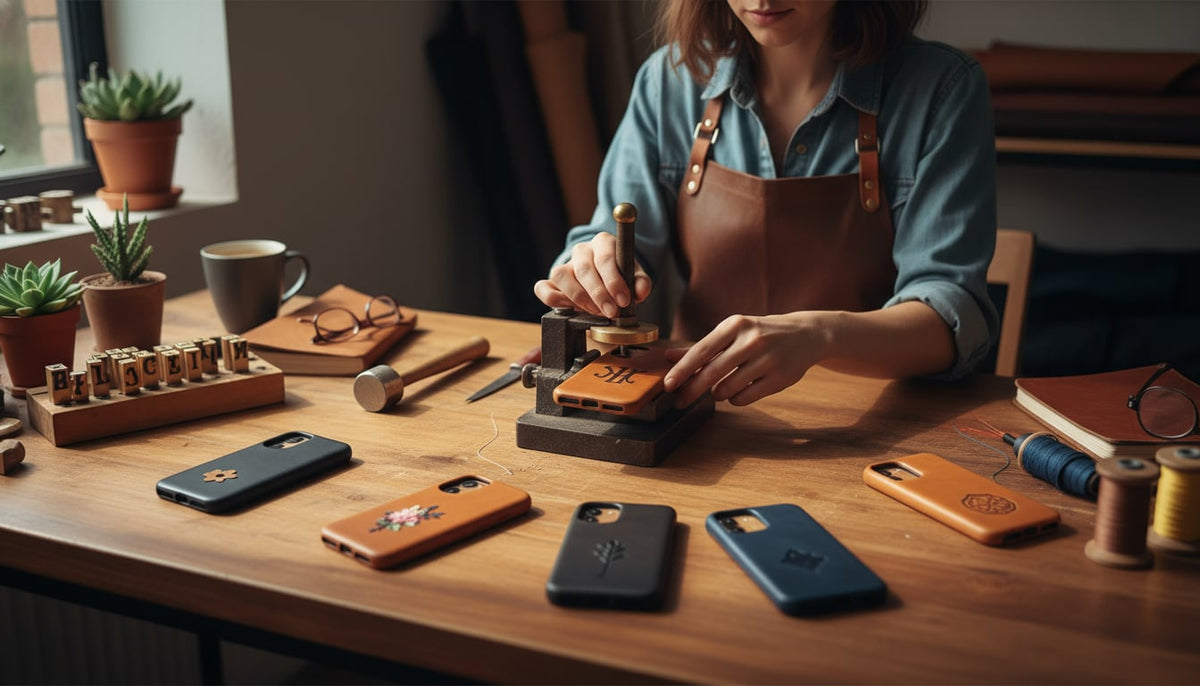
In a world of mass produced gadgets, your smartphone is uniquely yours. It holds your conversations, photos, and daily plans. So why wrap it in a generic case? Product personalisation transforms a simple phone case from a protective shell into a statement of style, a functional tool tailored to your life, and a true reflection of you.
This guide covers everything from choosing the perfect leather to preparing artwork, understanding production constraints, and adding that final personal flourish. Whether you’re a DIY enthusiast or shopping for a brand that can bring your vision to life, every choice here contributes to creating a one of a kind accessory.
Browse Bayelon’s leather phone cases to find the perfect canvas for your next personalisation project.
The Foundation: Building Your Perfect Custom Case
Before you get to the exciting details of artwork and engravings, the journey of product personalisation begins with two fundamental choices: the material and the design of the case itself.
Choosing Your Canvas: Material Selection
The quality of your custom case starts with the leather. For a premium look, feel, and durability, nothing beats full grain or top grain leather. See the full grain vs. top grain comparison to choose the right canvas.
- Full Grain Leather: This is the highest quality leather available. It comes from the top layer of the hide and includes all the natural grain and imperfections. Full grain leather is incredibly strong, develops a beautiful patina over time, and is naturally resistant to moisture.
- Top Grain Leather: The second highest grade, top grain leather has its surface sanded to remove imperfections, giving it a more uniform and polished appearance. It offers a great balance of style and durability, though it’s slightly less rugged than full grain.
Making a conscious material choice is crucial. Brands like Bayelon focus on using 100% full grain leather for their phone cases, ensuring a premium foundation for any product personalisation.
Material Selection for Engraving Contrast
Not all leathers respond equally to engraving. When product personalisation involves laser work, the contrast between the engraved area and the surrounding surface matters enormously. Vegetable tanned full grain leather tends to produce the best results because the laser darkens the surface dramatically against the lighter natural tone. Chrome tanned leathers, on the other hand, can produce inconsistent or faint marks.
Practitioners on Reddit’s r/Leathercraft frequently note that lighter colored leathers (natural tan, honey, rustic tan) give the sharpest engraving contrast, while very dark leathers like black can make fine details nearly invisible. If you plan to engrave, choosing a lighter base color and letting the patina develop around the design over time creates a look that actually improves with age.
Form Meets Function: Case Design and Type Selection
Once you’ve chosen your leather, select a case structure that fits your lifestyle. This is about balancing aesthetics with practical protection. A great case design often includes features like raised bezel edges to protect the screen and camera from scratches when laid flat. If you rely on magnetic chargers or car mounts, check the MagSafe charging guide to ensure your personalized case stays compatible.
Leather cases come in several popular styles:
- Slim Back Cover: A minimalist choice that offers protection without bulk.
- Folio Wallet Case: Features a cover that protects the screen and often includes slots for cards and cash.
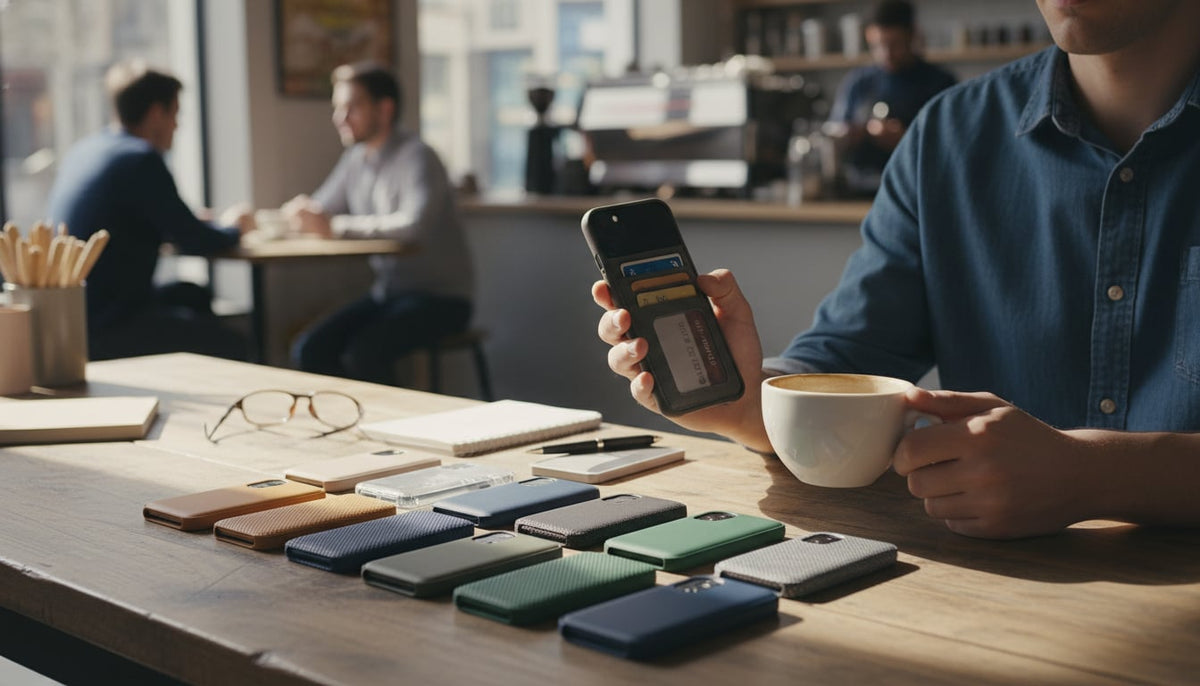
- 2 in 1 Detachable Case: A versatile option combining a slim back cover with a magnetic wallet folio, so you can take only what you need.
- Crossbody Case: Includes a strap for hands free convenience, perfect for travel or running errands.
Your choice of case type is a key part of product personalisation, as it should align with your daily habits and needs. For a deeper dive into picking the right structure, see the leather phone case buying guide.
Preparing Your Artwork: From Idea to Production Ready File
Getting a design onto leather requires more preparation than most people expect. This section covers the technical requirements that separate a crisp, professional result from a blurry disappointment.
Artwork Vector Requirements
Most professional personalisation services require vector files (AI, EPS, SVG, or PDF formats) rather than raster images like JPEGs or PNGs. Vector artwork scales to any size without losing sharpness, which matters when your design needs to fit precisely on a phone case surface. If you’re submitting a logo or custom graphic, converting it to vector format first prevents pixelation and ensures clean edges on the final product.
For simple text or monograms, the vendor’s design tool usually handles vectorization automatically. But for complex illustrations or brand logos, submitting a proper vector file saves time and avoids back and forth revisions.
Minimum Stroke Width for Engraving Text
One of the most common mistakes in product personalisation is using text or lines that are too thin for the engraving method to reproduce cleanly. For laser engraving on leather, a minimum stroke width of 0.3mm is generally safe. Anything thinner risks becoming invisible or burning through the leather unevenly.
Script fonts with extremely thin hairline strokes are a frequent problem. Several Etsy sellers specializing in leather goods have shared that they reject certain font choices outright because the hairlines simply won’t survive the engraving process. Bold, sans serif fonts tend to produce the most legible results at small sizes.
Photo to Line Drawing Conversion
Want to engrave a photograph onto a leather case? The image needs to be converted to a high contrast line drawing first. Leather engraving cannot reproduce continuous tones or gradients the way a printer can. Software like Adobe Illustrator’s Image Trace or free tools like Inkscape can convert photos into simplified line art suitable for engraving.
The key is reducing the image to its essential outlines and shapes. Faces, pets, and landmarks work well when simplified to bold contours. Detailed scenes with lots of fine texture tend to turn into muddy blobs on leather.
Photo Desaturation for Engraving
A related but distinct technique is desaturation, where a photograph is converted to grayscale and then adjusted to maximize contrast. This step is essential when preparing images for laser engraving because the laser can only vary its burn depth, not reproduce color. By pushing the image to pure black and white (not just grayscale), you create a bitmap the laser can follow precisely.
High quality lasers can achieve a precision of 0.01 mm, but that precision is wasted if the source image hasn’t been properly desaturated and contrast adjusted. Spending five minutes on image preparation makes a dramatic difference in the final result.
Image Size Requirements
For raster artwork (when vector isn’t available), resolution matters. Submit images at a minimum of 300 DPI at the actual print or engrave size. A file that looks sharp on your phone screen at 72 DPI will appear fuzzy when scaled for engraving.
The physical dimensions of the artwork should match the intended placement area on the case. Most phone case personalisation zones are roughly 50mm x 30mm to 70mm x 50mm depending on the case style, so the image needs to be sharp and detailed at that size, not just at full screen.
Image Sources for Custom Designs
Where do custom designs come from? Common sources include:
- Personal photos and artwork scanned or photographed at high resolution
- Licensed vector marketplaces like Creative Market or Adobe Stock for decorative elements
- AI image generators that produce unique graphics (though these typically need manual cleanup before engraving)
- Hand drawn sketches scanned at 600+ DPI and digitally traced
Using copyrighted images without permission is both unethical and a production risk. Most reputable personalisation services will flag or reject clearly copyrighted material like sports team logos or brand marks.
The Craftsmanship: Techniques for Product Personalisation
Several techniques can apply your custom design to a leather phone case. Each method offers a unique look and feel.
Making an Impression: Engraving and Surface Detailing
Engraving and other surface detailing techniques create texture and depth, adding a sophisticated touch to the leather.
- Laser Engraving: This involves etching a design directly into the leather. Modern laser engraving is incredibly precise, capable of creating highly detailed images, intricate patterns, and sharp text. The laser burns the design onto the surface, which typically darkens the leather for a beautiful contrasting effect.
- Custom Surface Detailing: This broader category includes traditional methods like stamping (also called debossing), where heated metal dies are pressed into the leather to create an impression. This gives the case a classic, tactile look perfect for monograms and logos. When preparing a design for any engraving method, line thickness adjustment is key to ensure fine details are visible and bolder lines don’t bleed together.
Hot Stamping
Hot stamping deserves its own mention because it produces a distinctly luxurious result that other methods can’t replicate. The process uses a heated die pressed against metallic foil (gold, silver, rose gold, or colored foils) to transfer the design onto the leather surface. The result is a shiny, metallic imprint that catches light and immediately reads as premium.
Hot stamping works best for text, monograms, and simple logos. Fine details and complex illustrations don’t translate well because the foil can bleed at very small scales. Globally, 73% of millennials expect to be able to customize products, and hot stamped initials on a leather case are one of the most popular ways to satisfy that expectation. The technique is common in luxury fashion houses for a reason: nothing else quite matches the combination of warmth (from the leather) and gleam (from the foil).
Hand Tooling
Hand tooling is the most artisanal and time intensive personalisation method. A craftsperson uses swivel knives and beveling tools to carve designs directly into dampened vegetable tanned leather. The leather is moistened so it becomes pliable, carved with a swivel knife to outline the design, then shaped with stamping tools to add depth, shadow, and texture.
The results are unmistakable. Hand tooled leather has a sculptural quality that no machine process can duplicate. Floral patterns, Western motifs, and Celtic knotwork are traditional favorites, but skilled artisans can tool virtually any design. The tradeoff is cost and lead time. A hand tooled phone case can take hours of skilled labor, making it significantly more expensive than laser engraving or hot stamping. But for a truly one of a kind piece, nothing compares.
Looking for a quality leather case as a starting point? Explore the iPhone 17 leather collection or Samsung Galaxy S25 cases.
Stitch Customization
Stitching might seem like a small detail, but it’s one of the most visible elements of a leather case. Stitch customization lets you choose thread color, stitch pattern, and thread weight to complement or contrast with the leather.
A rustic tan case with cream stitching looks classic and understated. The same case with bright red or cobalt blue thread becomes noticeably bolder. Saddle stitching (a traditional hand stitching technique using two needles) is stronger than machine stitching and creates a distinctive, slightly angled look that leather enthusiasts appreciate.
Some personalisation services also offer stitch pattern options: standard running stitch, cross stitch accents along edges, or decorative stitching around monogram areas. It’s a subtle form of product personalisation, but one that people who handle the case daily will notice and appreciate.
A Splash of You: Dyeing and Hand Painted Designs
Color is one of the most powerful tools for product personalisation.
- Dyeing and Color Customization: Unlike paint, which sits on the surface, leather dye penetrates the material’s fibers for a permanent color change that won’t peel or crack. Dyeing preserves the natural texture of the leather, making it a great way to achieve a rich, custom color while maintaining an authentic feel. For a deeper look at how different leathers accept dye, the leather phone case materials guide covers the basics.
- Hand Painted Design: For more artistic and colorful creations, a hand painted design is the perfect choice. Artists use flexible, acrylic based leather paints that adhere to the surface without cracking as the leather bends. From floral patterns to abstract art, hand painting turns your phone case into a wearable masterpiece.
Color Matching Variation
A word of caution about color expectations. Leather is a natural material, and every hide has slightly different grain patterns, density, and dye absorption characteristics. Two cases dyed with the same batch of “rustic tan” will never be perfectly identical. Screen colors on phones and monitors add another layer of variation. What looks like warm honey on a calibrated display might lean more toward caramel on the actual leather.
Reputable vendors acknowledge this upfront. Studies show that 61% of consumers are willing to spend more for personalized experiences, but managing color expectations is part of delivering satisfaction. If an exact Pantone match is critical (for brand logos, for instance), request a physical swatch or sample run before committing to a full order.
The Finishing Touches: Hardware, Perforations, and Personal Additions
The small details can make the biggest impact.
- Hardware Choice: Selecting the right metal components like snaps, rivets, and buckles affects both the look and longevity of the case. High quality metals like solid brass or stainless steel resist rust and corrosion, ensuring your case’s hardware stands up to daily use.
- Perforation Design: This involves adding a pattern of small holes to the leather. Perforated leather is often seen in luxury goods and adds a sporty, modern aesthetic. Functionally, it can improve grip and breathability.
- Personal Touch Addition: This is the final and most intimate step of product personalisation. It’s about adding a name, initials, a special date, or a meaningful symbol. A simple monogram is a classic choice, but an engraved message inside the case can turn it into a cherished keepsake.
Using an Online Design Editor: The Workflow
Many brands and marketplaces now offer online design editors that walk you through product personalisation step by step. The typical workflow looks like this:
- Select your product and device model. The editor loads a template matching the exact dimensions and port cutouts of your phone.
- Choose your personalisation method (engraving, hot stamping, hand painting, etc.) and placement zone.
- Upload artwork or enter text. The editor validates file format, resolution, and dimensions automatically.
- Adjust positioning, scale, and rotation within the allowed placement zone.
- Preview the result in 2D or sometimes 3D, rotating the case to see how the design wraps around edges.
- Submit for production after reviewing a final proof.
For DIY projects, this could mean printing the design on paper to check its size and placement or testing a dye on a scrap piece of leather. Either way, the preview step prevents costly mistakes.
Understanding Production Constraints
Product personalisation sounds limitless, but every method has practical boundaries. Knowing these upfront saves frustration and helps you design within parameters that produce the best results.
Character Count Limits
Most personalisation services cap text at 15 to 25 characters per line, depending on the technique and case size. Hot stamping and laser engraving on a phone case back panel typically allow a single line of 12 to 18 characters at a legible size. Trying to squeeze a full sentence onto a 60mm wide surface results in text too small to read.
For monograms, two to four characters is the sweet spot. For quotes or names, shorter is almost always better.
Font Selection Limits
Don’t expect unlimited font options. Most services offer 8 to 20 curated fonts that have been tested and validated for the specific personalisation method. This isn’t a limitation for the sake of restriction. Fonts with extremely thin strokes, complex ligatures, or unusual kerning simply don’t engrave or stamp well on leather.
Sans serif fonts (Helvetica, Futura, Montserrat) and classic serifs (Times, Garamond) are reliable choices. Novelty and decorative fonts should be tested before committing.
Placement Zone Constraints
You can’t place a design just anywhere on a leather case. Camera cutouts, button openings, edge curves, and stitching lines all create exclusion zones where engraving or stamping isn’t possible. Most vendors define a “safe area” on the back panel, and the design must fit entirely within it.
On folio and wallet cases, the front flap offers additional personalisation real estate, but interior card slots and fold lines limit where engravings can go without weakening the leather or interfering with function.
Order Approval and Production Lead Time
Personalized products take longer than standard orders. After submitting a design, expect an approval step where the vendor reviews the file for technical feasibility (resolution, stroke width, placement). This review typically takes one to three business days.
Production itself adds another three to seven business days beyond standard processing, depending on the technique. Hand tooled or hand painted cases can take two to four weeks. Factor this into gift giving timelines. For standard shipping details, Bayelon publishes their shipping policy and delivery windows to help you plan.
One YouTube creator who documented ordering a custom leather case noted that the approval email is actually the most important step. It includes a final digital proof showing exact positioning, and skipping a careful review at that stage is where most design regrets originate.
Why Product Personalisation Matters
Product personalisation is about transforming an everyday object into something uniquely yours. It allows you to combine style, function, and sentiment in a way that mass produced products simply can’t. A customized leather phone case isn’t just a protective cover; it’s a conversation starter, a fashion accessory, and a personal statement.
The commercial reality backs this up. Consumer willingness to pay a premium for personalized products continues to grow, and the trend extends well beyond phone cases into watches, wallets, and bags. The full grain leather phone case is particularly well suited to personalisation because the material itself improves with time, meaning your custom design becomes part of a case that develops its own unique character through daily use.
Ready to start? Explore Bayelon’s full leather accessories collection to find cases, wallets, and watch bands worth making your own.
Frequently Asked Questions About Product Personalisation
1. What is the most durable type of leather for a phone case?
Full grain leather is the most durable and highest quality option. It develops a beautiful patina with age and is highly resistant to wear and tear, making it ideal for an item you handle daily. Learn more in the leather grades guide.
2. Can I use my own artwork for product personalisation?
Yes. Most companies that offer product personalisation, especially those using laser engraving, accept custom digital files. Vector formats (AI, SVG, EPS) produce the best results. Raster images should be at least 300 DPI at the intended print size.
3. What is the difference between engraving and embossing on leather?
Engraving involves cutting or burning a design into the leather’s surface, removing a small amount of material. Embossing (or debossing) uses a stamp or die to press a design into the leather, creating a raised or indented impression without removing material.
4. What is hot stamping, and how does it differ from engraving?
Hot stamping uses a heated die and metallic foil to transfer a shiny, metallic design onto the leather. It adds material (the foil) to the surface rather than removing it. It’s best for monograms and simple logos where a gold or silver finish is desired.
5. Does customizing a phone case make it less protective?
Not if done correctly. Customization techniques like engraving, dyeing, and painting are surface level treatments. The core structure and protective features of the case, such as its frame and raised edges, remain intact.
6. How many characters can I typically engrave on a phone case?
Most services allow 12 to 18 characters per line on a phone case back panel. Monograms of two to four characters produce the cleanest results. Longer text requires smaller font sizes, which can compromise legibility.
7. Are personalized phone cases a good gift?
Absolutely. Adding initials, a special date, or a meaningful quote transforms a practical item into a thoughtful and unique gift. Just account for the extra production lead time (typically one to two weeks beyond standard processing).
8. How do I care for a personalized leather phone case?
Care for it like any other high quality leather good. Use a leather conditioner occasionally to keep it moisturized, avoid prolonged exposure to direct sunlight or water, and wipe it with a soft, dry cloth. For detailed care instructions, see the leather care guide.
9. Will the engraved or stamped color match exactly what I see on screen?
Not perfectly. Leather is a natural material, and dye absorption varies between hides. Monitor calibration also affects how colors appear. Expect slight variation and request a physical sample if an exact match is critical for branding purposes.
10. What file format should I submit for custom artwork?
Vector files (AI, EPS, SVG, PDF) are preferred because they scale without losing quality. If only raster files are available, submit at 300 DPI minimum with the image sized to the actual engrave dimensions.


Leave a comment
This site is protected by hCaptcha and the hCaptcha Privacy Policy and Terms of Service apply.